How I Manage 80 Clients in Notion
At some point every Notion-powered agency hits the same wall: the workspace that felt elegant at ten clients starts to feel like a filing cabinet at eighty. Status updates get lost in chat. Someone duplicates a “client portal” page for the fifth time. A guest link goes to the wrong person. The tool didn’t break — the system did.
I’ve run (and watched agencies run) large client loads out of a single Notion workspace. The pattern that survives isn’t clever templates or more dashboards. It’s a boring, strict data model: one Clients database as the spine, everything else related to it, and a hard line between how you work internally and how clients see their work.

Rule one: never duplicate a portal page per client
The instinct when you first share Notion with clients is to copy a page, rename it for Client A, share the link, and move on. That works until you change a property, add a status option, or fix a layout — then you have eighty pages to update, or eighty slightly different versions of the truth.
At scale, every client-facing page should be a view over shared databases, not a fork of content. Your source of truth stays in Clients, Projects, Tasks, and Documents. What changes per client is which rows they can see — not which page you remembered to edit.
The spine: one Clients database
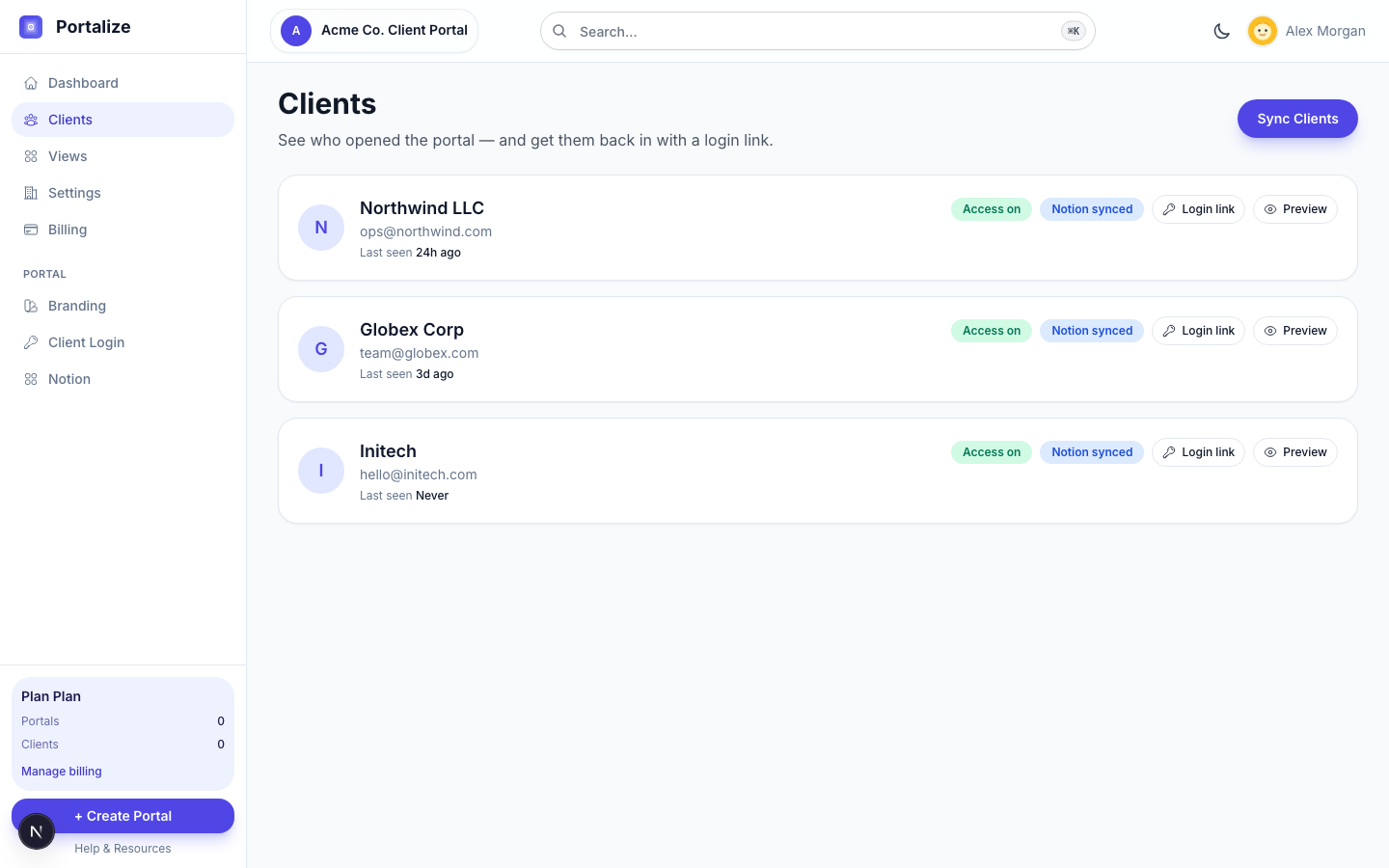
Everything hangs off Clients. Keep that database thin and consistent. For an agency running dozens of accounts, I want every client row to have at least:
- Name (title) — company or primary contact, pick one convention and stick to it
- Email — the address they’ll use to log in; one clear primary email per portal login
- Status — Active / Onboarding / Paused / Churned so ops views stay honest
- Owner — who’s accountable on your team (a person property or select)
- Kickoff / renew date — whatever date actually drives your calendar, not vanity fields
Resist the urge to turn Clients into a CRM dump. Notes, call transcripts, and one-off docs belong elsewhere. Clients is an identity and routing table: who this account is, how you reach them, and which related work belongs to them.
Link work with relations, not tags
The setup that scales is relational, not “Client Name” typed into a text column eighty different ways:
- Projects → Client (relation to Clients)
- Tasks → Project (relation to Projects) — then scope to client via the project chain or a rollup
- Documents → Client (direct relation, or the same pattern you use for projects)
Relations give you one click from a client into their projects, and they give any portal layer a reliable ID to filter on. Text tags break the moment someone types “Acme Inc” instead of “Acme.” Page IDs don’t care about spelling.
Internally, I live in filtered views: My Active Clients, Projects Due This Week, Tasks Blocked on Client. Those views are for the team. They’re not what you share.
Operate with views; don’t share the database
Notion filters are excellent for you and terrible as a security boundary. A filtered “Client A Projects” view can be changed by anyone with access. Guests can often reach parent pages or the full database. That’s fine for a contractor on your team. It’s not fine for Client A looking at Client B’s invoices.
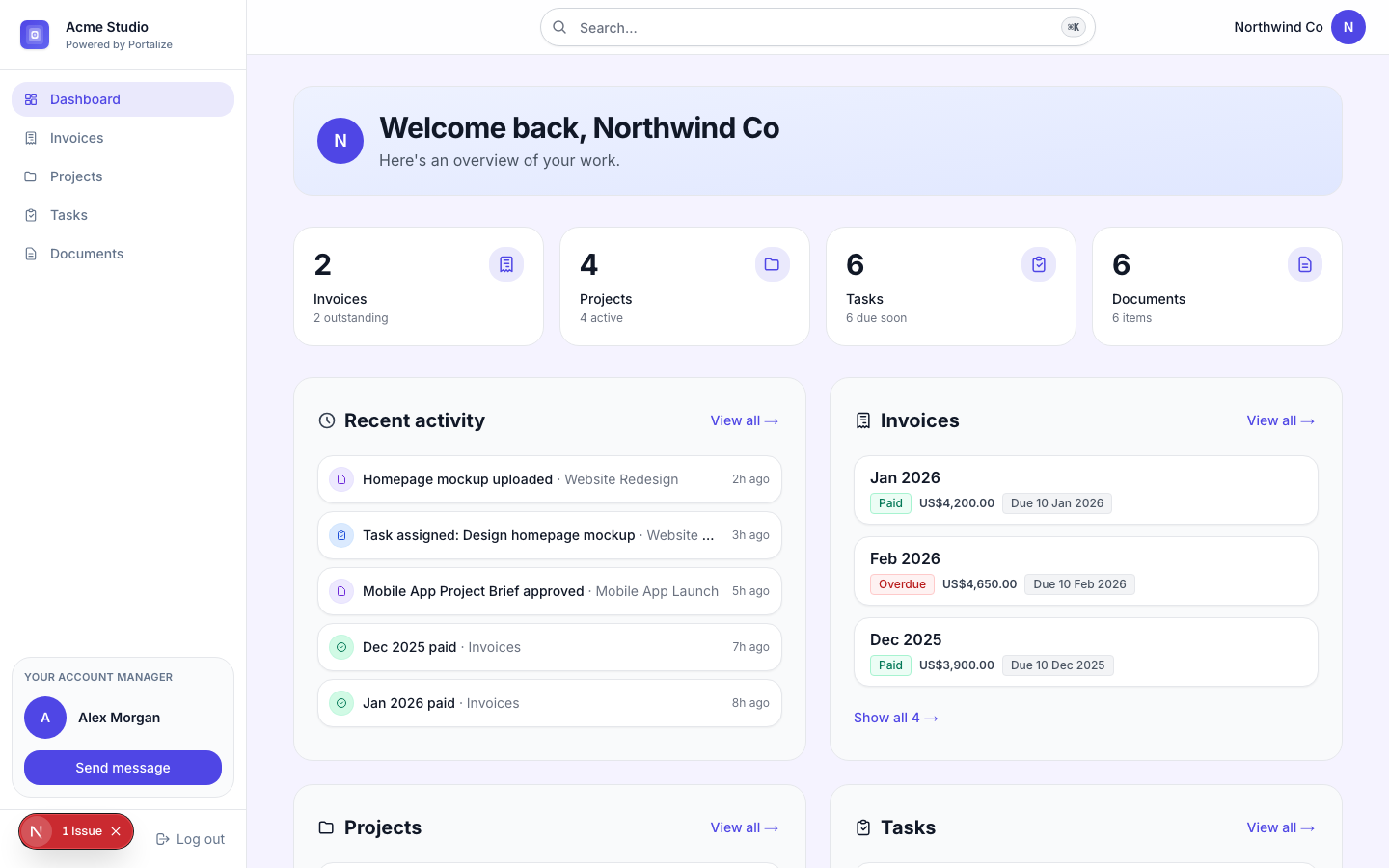
So I treat Notion sharing as an internal tool only: teammates and trusted collaborators. Clients get a different surface — a login, a brand, and rows filtered server-side to their Client page ID. Same databases. Different permission model.
What “managing 80” actually looks like week to week
The daily rhythm isn’t opening eighty pages. It’s a short loop:
- Sweep Active Clients and anything Onboarding that’s stalled
- Work from Tasks filtered to this week / blocked / waiting on client
- Update status in Notion once — so the client-facing portal and your team see the same truth
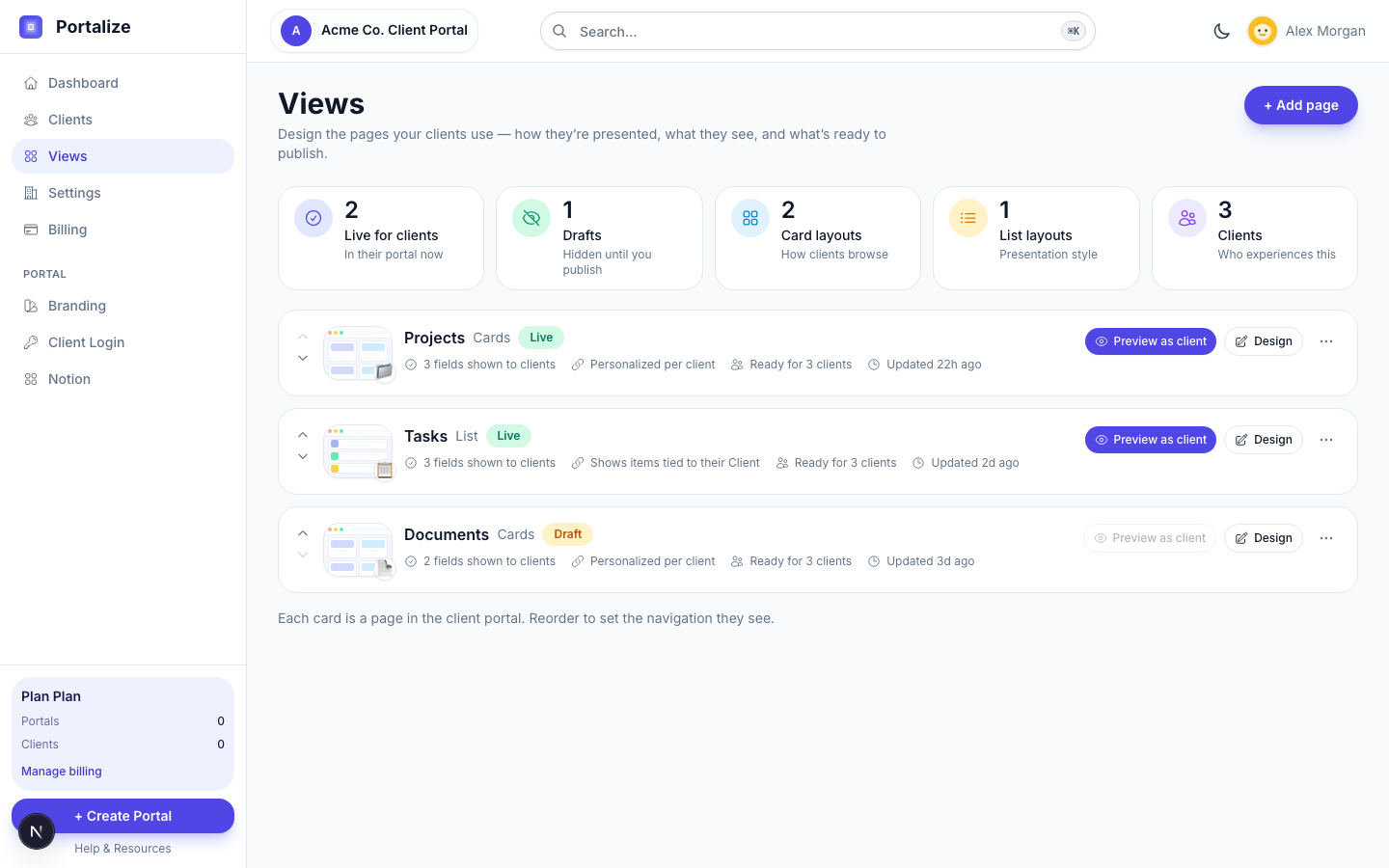
- Invite or nudge clients who haven’t opened their portal (last-seen beats guessing)
- Keep new work attached to a Client relation the moment it’s created — no orphan rows
The agencies that drown at eighty are usually still copy-pasting status into email. The ones that stay calm write once in Notion and let every other surface read from it.
Where Portalize fits
Portalize is the client-facing layer on top of that model. You keep one Notion workspace, map your Clients database (email + name), connect Projects/Tasks/Documents with relation-based scoping, and each client gets a magic-link login into only their rows — branded as your agency, not as a shared Notion guest.
- No duplicate portal pages to maintain when you change a field or layout
- Per-client security enforced on the server, not by a Notion filter someone can undo
- Optional editable fields so approvals and status flips write back to Notion
- You stay in Notion; clients stay out of your workspace
If you’re starting from scratch, duplicate a Clients / Projects / Tasks / Documents template with relations already wired, connect OAuth, sync clients, and publish a few views. The hard part isn’t the product — it’s committing to one spine and refusing to fork pages per account.
Run your clients from one Notion workspace — and give each of them a private, branded portal. Free forever for up to three clients; grow when you’re ready.
Start freeA simple checklist before you scale past 20
- One Clients database; email is required and unique enough to log in
- Projects (and docs) relate to Client by page relation, not free text
- Tasks relate through Project (or a rollup) so client scoping is unambiguous
- Internal views for the team; no client guest access to master databases
- A portal (or equivalent) that filters by client identity before data hits the browser
Eighty clients isn’t a Notion problem. It’s a systems problem. Fix the spine once, keep writing to it every day, and stop handing clients the keys to your workspace.