Built on the Web & Design Studio template
Client portal for web design agencies
Hand clients a clean view of projects, open tasks, design reviews, files, and invoices — without giving them a seat in your studio Notion.
Free forever • Up to 3 clients • No credit card
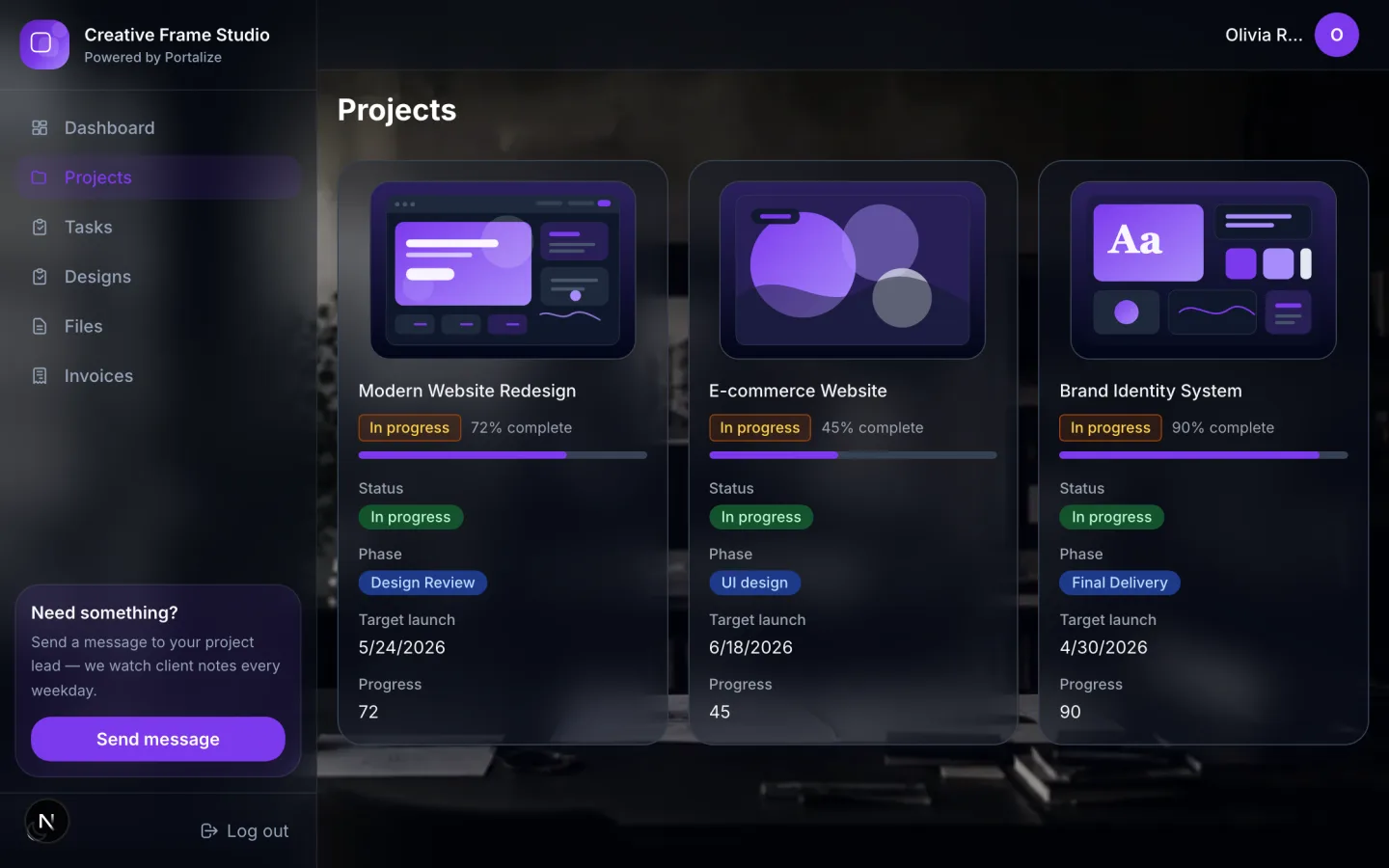
What clients see in the portal
- Projects
- Tasks
- Designs
- Files
- Invoices
The usual mess
- Figma and Drive links scatter across email; clients ask “where’s the latest?” daily.
- Shared Notion boards expose other clients’ projects when filters slip.
- Invoice status lives in a tool clients never open.
With Portalize
- One branded login for project status, designs, and files.
- Per-client scoping so studios with many accounts stay private.
- Invoices and deliverables stay next to the work, synced from Notion.
How it works
- 1
Start from the template
Use Web & Design Studio as the portal shape — views and sample structure are ready.
- 2
Connect your Notion databases
Map campaigns, projects, or onboarding lists you already maintain. Notion stays the source of truth.
- 3
Invite clients with magic links
Each client gets a scoped login. No Notion account, no guest seats burned.
Frequently asked questions
Is this a project management tool for design studios?
No — Portalize is the client-facing layer. You keep managing projects in Notion (or your existing stack). Clients get a scoped portal, not another PM login.
Can I show design review links in the portal?
Yes. Map a Designs or Files view to the Notion database where you store Figma/Frame.io links and status, then choose which fields clients see.
Does the Web & Design Studio template work on Free?
Yes. Free forever covers 1 portal and up to 3 clients so you can prove the workflow before upgrading.
See the Web & Design Studio live
Click through the interactive preview, then start free with the same template structure mapped to your Notion.