Built on the Freelancer Client Portal template
Client portal for freelancers
Lean on purpose: active work, files, and invoices in one client login. No bloated agency OS — just a polished window into the Notion you already use.
Free forever • Up to 3 clients • No credit card
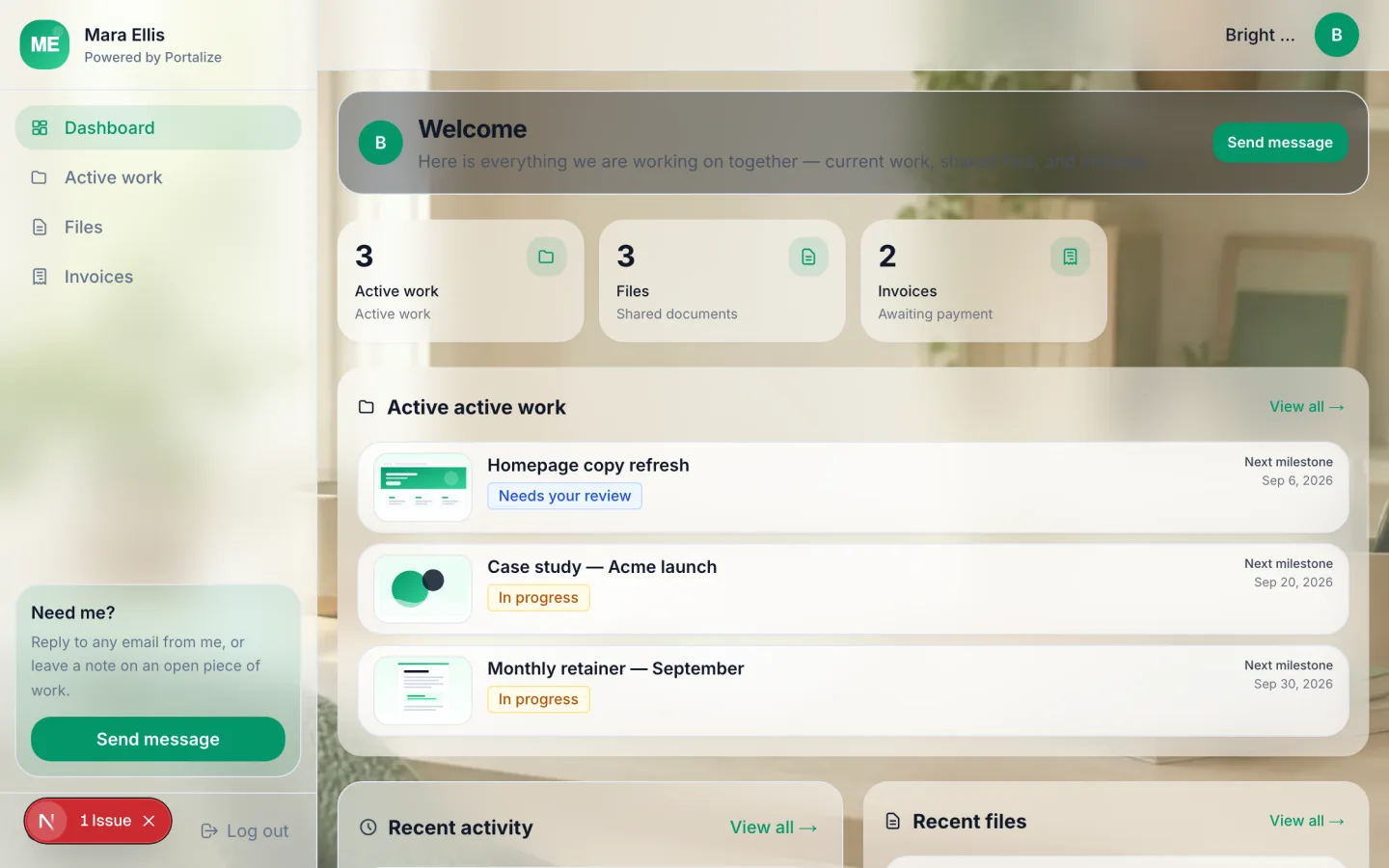
What clients see in the portal
- Active work
- Files
- Invoices
The usual mess
- Clients lose the latest file in a 40-message email thread.
- Invoice PDFs and project status live in different tools.
- Notion guest invites burn seats and still look unfinished.
With Portalize
- One magic-link portal per client with only their work.
- Files and invoices next to active tasks.
- Free forever for up to 3 clients — enough for most solo practices to start.
How it works
- 1
Start from the template
Use Freelancer Client Portal as the portal shape — views and sample structure are ready.
- 2
Connect your Notion databases
Map campaigns, projects, or onboarding lists you already maintain. Notion stays the source of truth.
- 3
Invite clients with magic links
Each client gets a scoped login. No Notion account, no guest seats burned.
Frequently asked questions
Is a client portal overkill for a solo freelancer?
Not if you juggle more than a couple of concurrent clients. A lean portal (active work, files, invoices) cuts status chase without adding a second PM tool.
Can I start free?
Yes. Portalize Free forever includes 1 portal and up to 3 clients. Upgrade when you need more seats or white-label branding.
Will clients need to learn Notion?
No. They never open Notion — they use your branded portal login.
See the Freelancer Client Portal live
Click through the interactive preview, then start free with the same template structure mapped to your Notion.