Built on the Marketing Agency Portal template
Client portal for marketing agencies
Stop pasting Notion links into Slack. Give each client a scoped portal for campaigns, deliverables waiting on them, approvals, monthly reports, and files — while you keep running the work in Notion.
Free forever • Up to 3 clients • No credit card
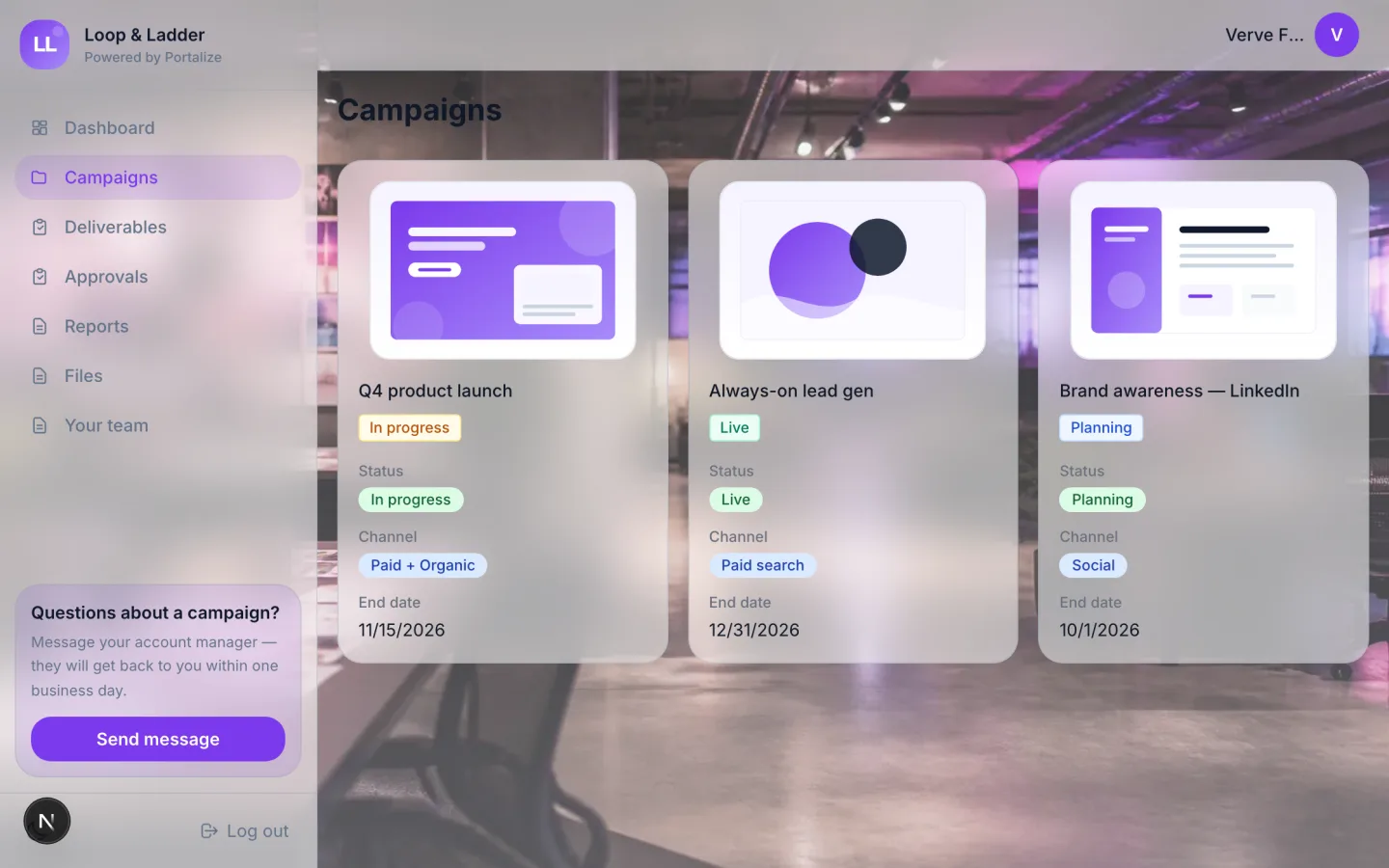
What clients see in the portal
- Campaigns
- Deliverables
- Approvals
- Reports
- Files
- Your team
The usual mess
- Clients dig through shared Notion pages and find another brand’s campaign.
- Approvals live in email threads no one can find next month.
- Reporting means exporting the same dashboard screenshot twelve times.
With Portalize
- Each client only sees their campaigns and assets — scoped server-side.
- Approvals and deliverables sit in one branded login, not a guest invite.
- You keep Notion as the source of truth; the portal stays in sync.
How it works
- 1
Start from the template
Use Marketing Agency Portal as the portal shape — views and sample structure are ready.
- 2
Connect your Notion databases
Map campaigns, projects, or onboarding lists you already maintain. Notion stays the source of truth.
- 3
Invite clients with magic links
Each client gets a scoped login. No Notion account, no guest seats burned.
Frequently asked questions
What should a client portal for marketing agencies include?
At minimum: active campaigns, deliverables pending review, an approvals queue, monthly reports, and shared files. Our Marketing Agency Portal template ships those views ready to map to your Notion databases.
Can clients approve creatives in the portal?
Yes — expose an Approvals view and optionally make selected Notion properties editable so status changes write back to your workspace.
Do marketing clients need a Notion account?
No. They sign in with a passwordless magic link and never enter your Notion workspace.
See the Marketing Agency Portal live
Click through the interactive preview, then start free with the same template structure mapped to your Notion.