Built on the Client Onboarding Portal template
Client onboarding portal from your Notion workspace
Replace the kickoff email spiral with a portal: checklist, documents, intake, and next steps — each new client gets only their onboarding track.
Free forever • Up to 3 clients • No credit card
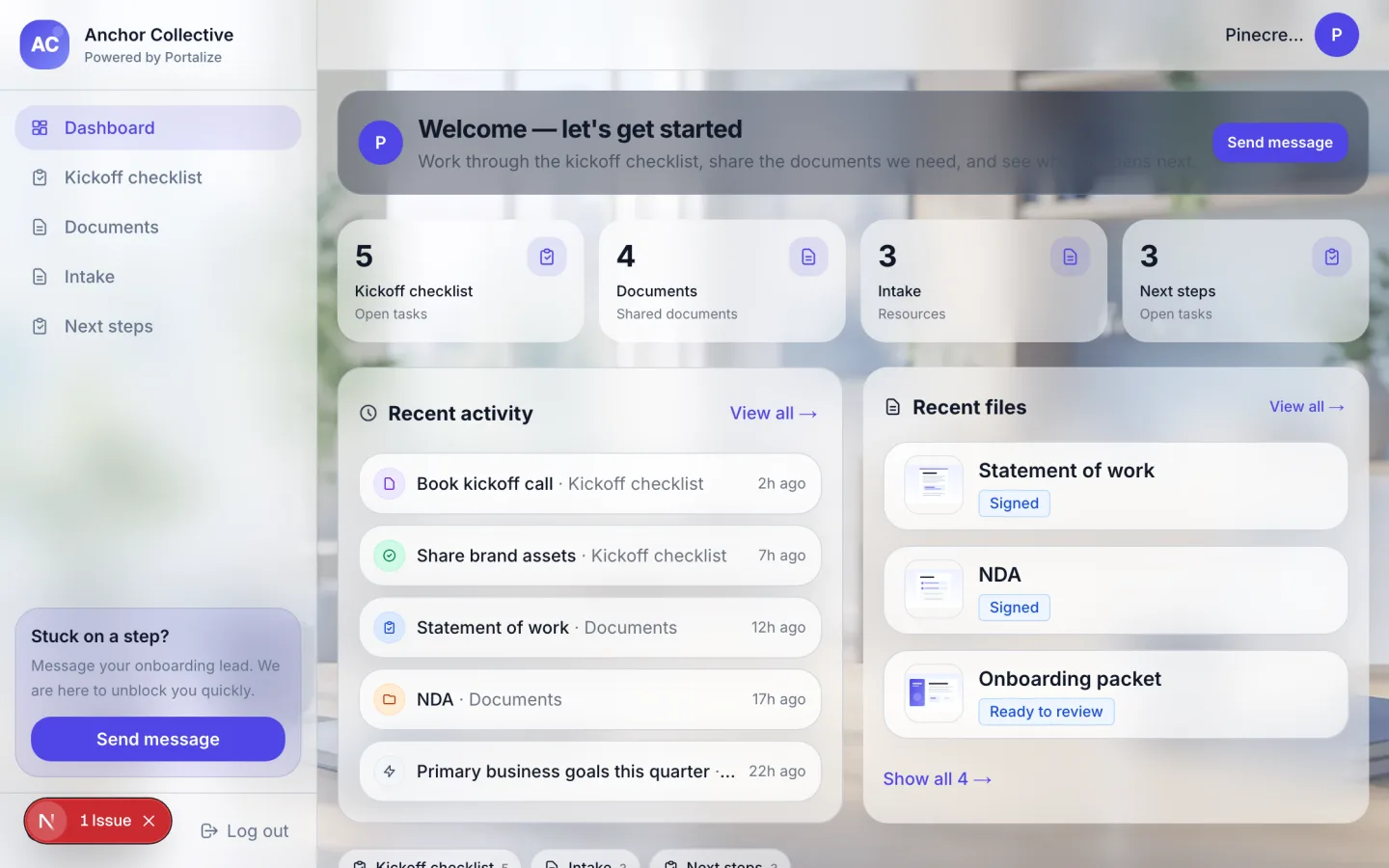
What clients see in the portal
- Kickoff checklist
- Documents
- Intake
- Next steps
The usual mess
- Kickoff checklists live in a doc clients never reopen after day one.
- Intake answers arrive half-complete across forms, email, and Slack.
- New clients see leftover assets from the previous engagement in a shared folder.
With Portalize
- A dedicated onboarding home per client with checklist + docs + intake.
- Clear next steps without another status call.
- Same Notion databases you already use for ops — scoped for the client.
How it works
- 1
Start from the template
Use Client Onboarding Portal as the portal shape — views and sample structure are ready.
- 2
Connect your Notion databases
Map campaigns, projects, or onboarding lists you already maintain. Notion stays the source of truth.
- 3
Invite clients with magic links
Each client gets a scoped login. No Notion account, no guest seats burned.
Frequently asked questions
What is a client onboarding portal?
A private, branded place where a new client completes kickoff: checklist items, document collection, intake answers, and agreed next steps — without accessing your internal workspace.
Can clients check off onboarding tasks?
Yes, if you enable editable fields on checklist properties. Updates write back to Notion so your team sees progress immediately.
Is this only for agencies?
No. Freelancers and consultancies use the same pattern whenever a new engagement needs structured kickoff.
See the Client Onboarding Portal live
Click through the interactive preview, then start free with the same template structure mapped to your Notion.