Built on the SEO Reporting Portal template
Client portal for SEO agencies
Publish rankings, monthly reports, deliverables, and tasks into a branded client login — instead of exporting the same Looker/Sheets pack every month.
Free forever • Up to 3 clients • No credit card
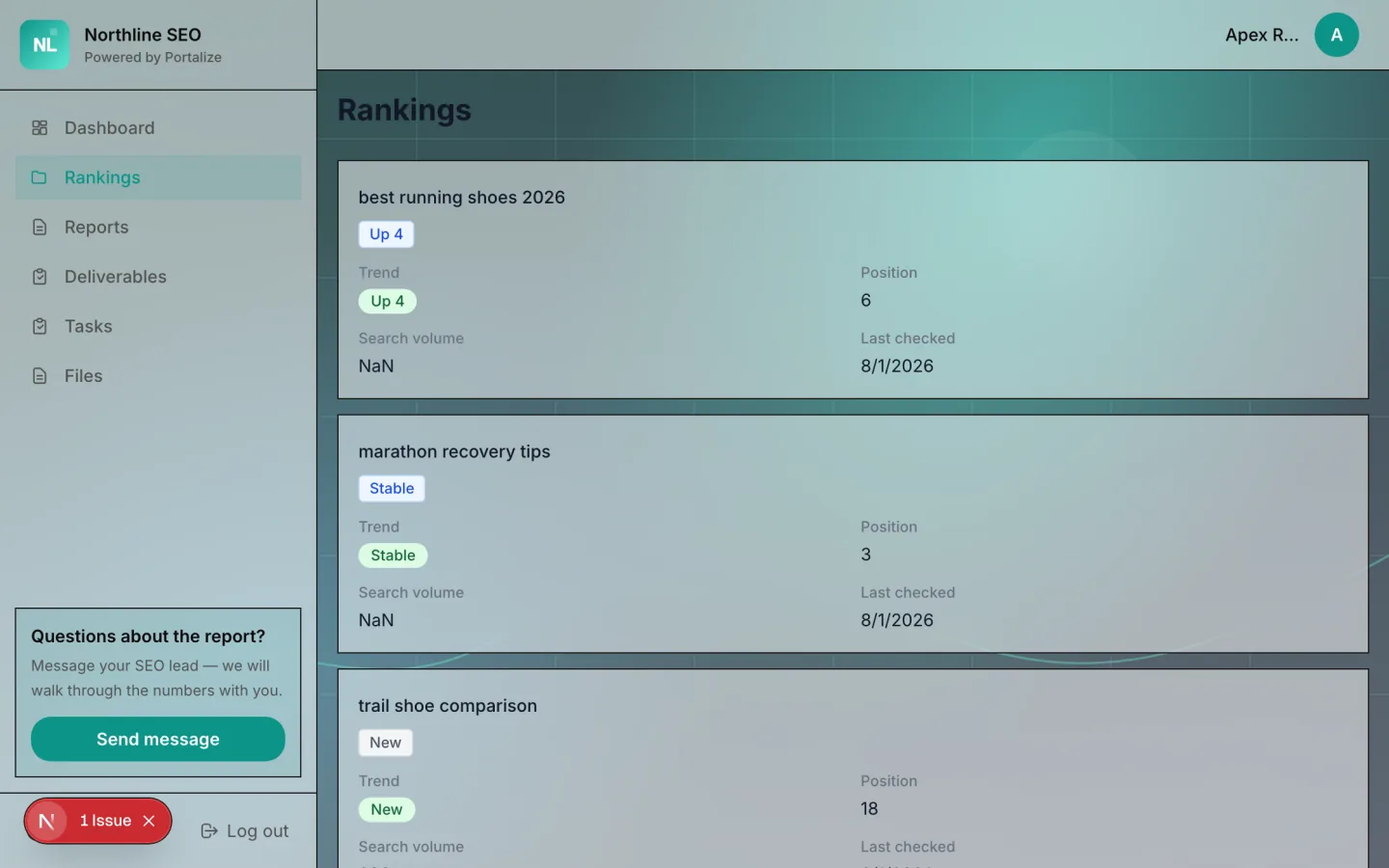
What clients see in the portal
- Rankings
- Reports
- Deliverables
- Tasks
- Files
The usual mess
- Monthly reporting is a PDF factory that goes stale the day it ships.
- Clients reply-all asking for “the latest rankings” you already sent.
- Shared Notion databases risk exposing other clients’ keyword sets.
With Portalize
- Each client opens a live rankings + reports view scoped to them.
- Deliverables and tasks sit beside the numbers that justify the retainer.
- You update Notion once; every portal reflects it.
How it works
- 1
Start from the template
Use SEO Reporting Portal as the portal shape — views and sample structure are ready.
- 2
Connect your Notion databases
Map campaigns, projects, or onboarding lists you already maintain. Notion stays the source of truth.
- 3
Invite clients with magic links
Each client gets a scoped login. No Notion account, no guest seats burned.
Frequently asked questions
Can I connect ranking tools into Portalize?
Portalize reads Notion. Sync rankings into a Notion database (via your SEO tool’s export, Make/Zapier, or manual update), then expose that database as a Rankings view.
Is this an SEO reporting product?
It is a client portal layer on Notion — ideal when you already assemble rankings and reports in Notion and need a private client surface.
Will other clients see each other’s keywords?
No. Scoping is enforced server-side by client identity before rows are returned.
See the SEO Reporting Portal live
Click through the interactive preview, then start free with the same template structure mapped to your Notion.