What’s New in Portalize: Designing the Client Experience
A few weeks ago we wrote about images in the portal and configurable magic links. Since then we’ve been shipping hard on one idea: Portalize should feel like designing the client experience, not configuring a Notion database. Here’s the cool stuff that’s live now.
Views: design pages clients will use
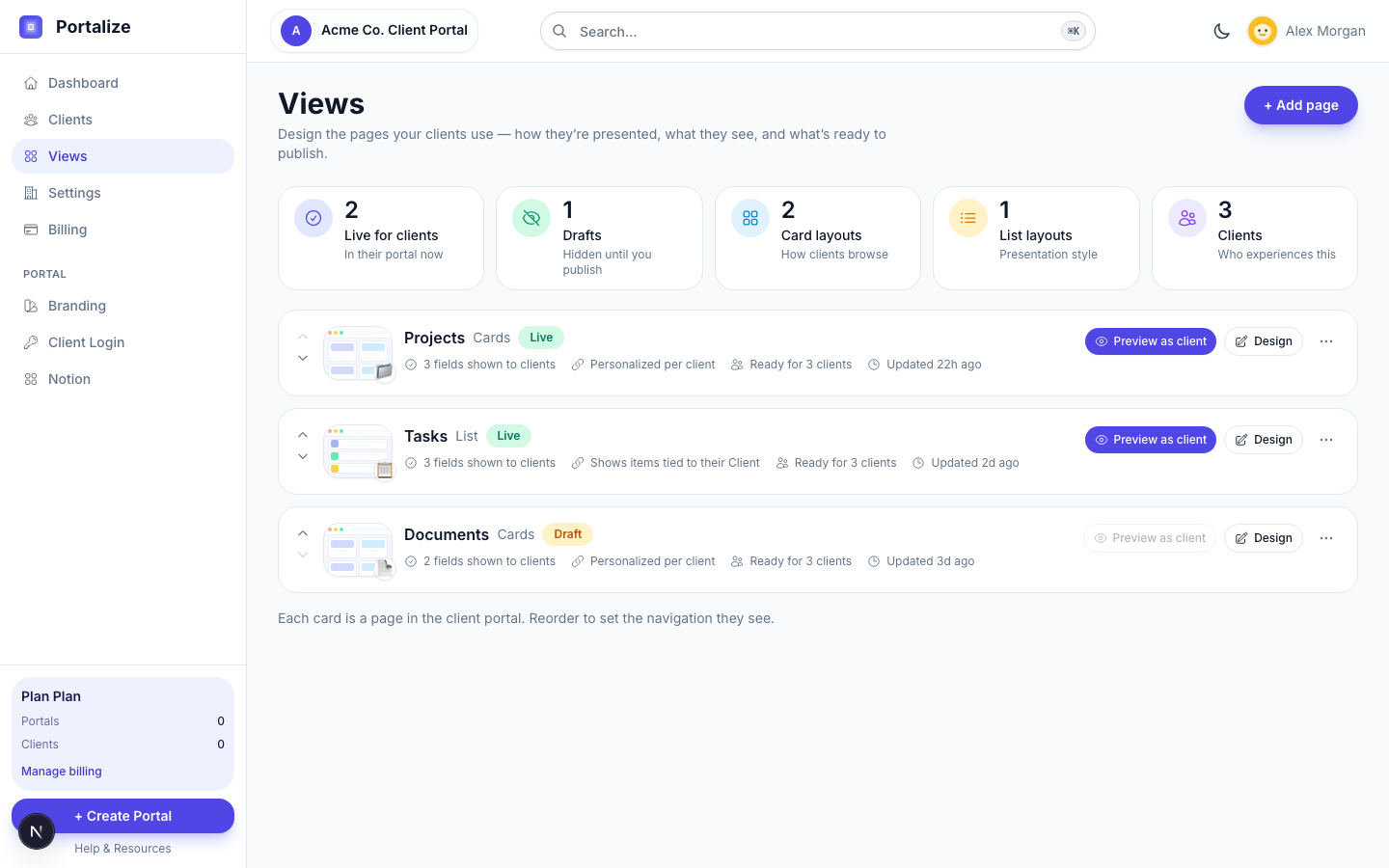
Views are Portalize’s differentiator — each one is a page in the client portal. We rebuilt the Views screen around that idea. Summary cards show what’s live vs draft, how pages are presented (cards, list, table), and how many clients will experience them. Each row has a layout thumbnail, a Live/Draft badge, and a short story of what clients will see — fields shown, whether it’s personalized per client, and whether it’s ready to publish.
- Live / Draft instead of an abstract enable toggle as the main story — publish or unpublish from the overflow menu.
- “Preview as client” as a first-class action on live pages (disabled with a clear reason when it’s draft or you have no clients yet).
- “Design” (not “Edit”) and “Add page” — language that matches the job.
- Reorder pages and the client nav follows — called out right on the page.
The view editor got the same treatment. Instead of a long form of Notion plumbing, you get grouped sections, clearer field cards for what clients see, and a persistent Client page preview beside your work — sample rows that update as you change layout and visible fields, with Live/Draft status in view while you configure. You’re designing a page; the preview keeps that honest.
- Live sample client-page preview (cards, list, or table) while you design.
- Field cards and grouped sections so presentation and readiness are obvious.
- Select-all for visible fields when you’re wiring up a big database.
- Copy and empty states that talk about client pages — not database config.
The guiding principle: this shouldn’t feel like configuring a Notion database. It should feel like designing the client experience.
Your dashboard is a portal control center
The agency dashboard got a real shell: a sidebar, a portal switcher that stays in view, and quick actions for the things you do every day — invite a client, sync Notion, jump into settings. Instead of a thin overview, you get a clearer sense of what’s healthy, what’s next, and which portal you’re managing.
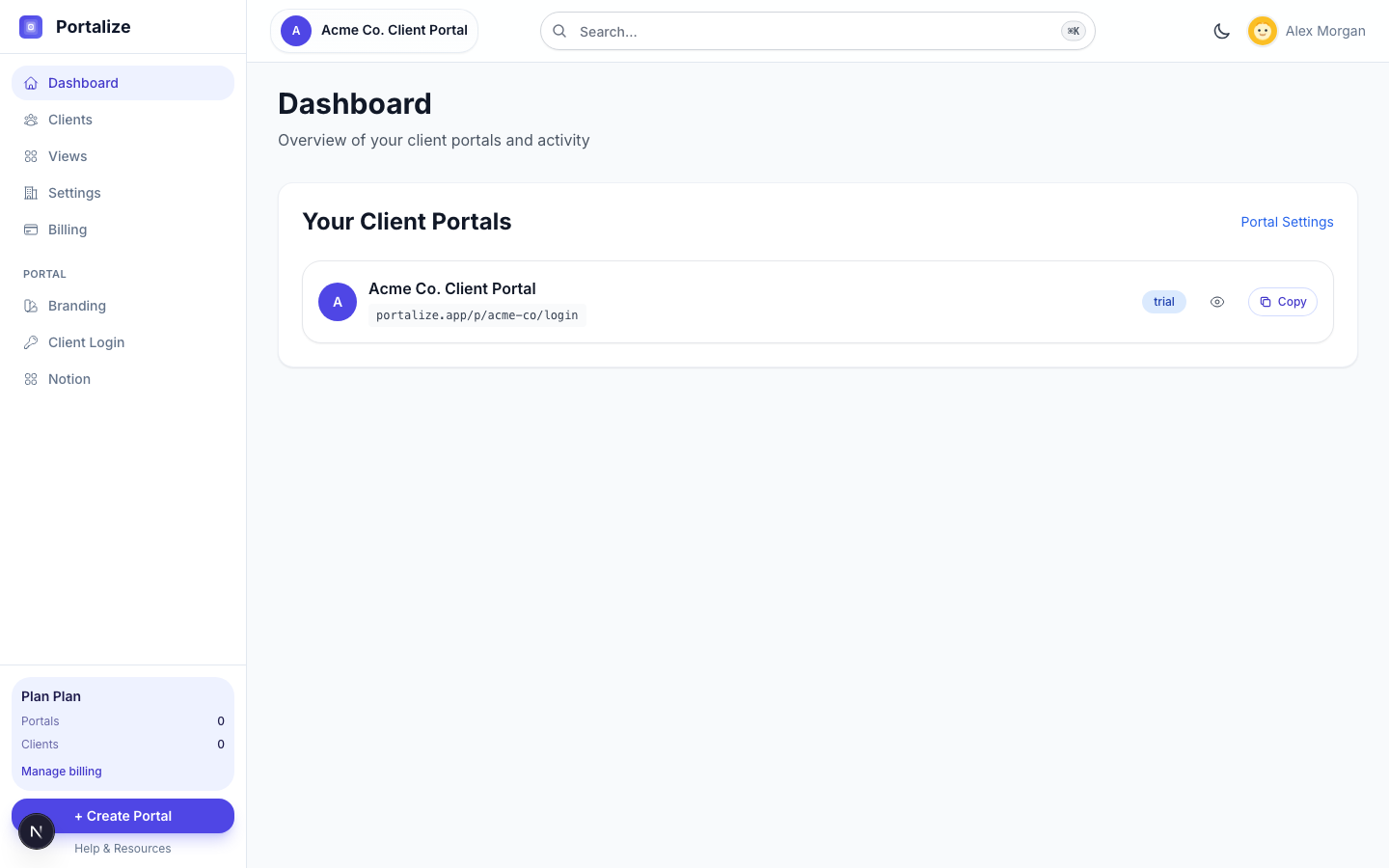
- Portal-first navigation so you always know which portal you’re in.
- Quick actions for invite, sync, and common next steps.
- Activity that focuses on clients and portal work, with a dedicated activity page when you want the full feed.
- Honest usage and Notion health signals — no fake metrics.
Know when clients last showed up
On the Clients page you can now see Last seen for each client — or Never, if they haven’t opened the portal yet. That’s the engagement signal agencies actually need: who is active, who might need a nudge, and who never got in.
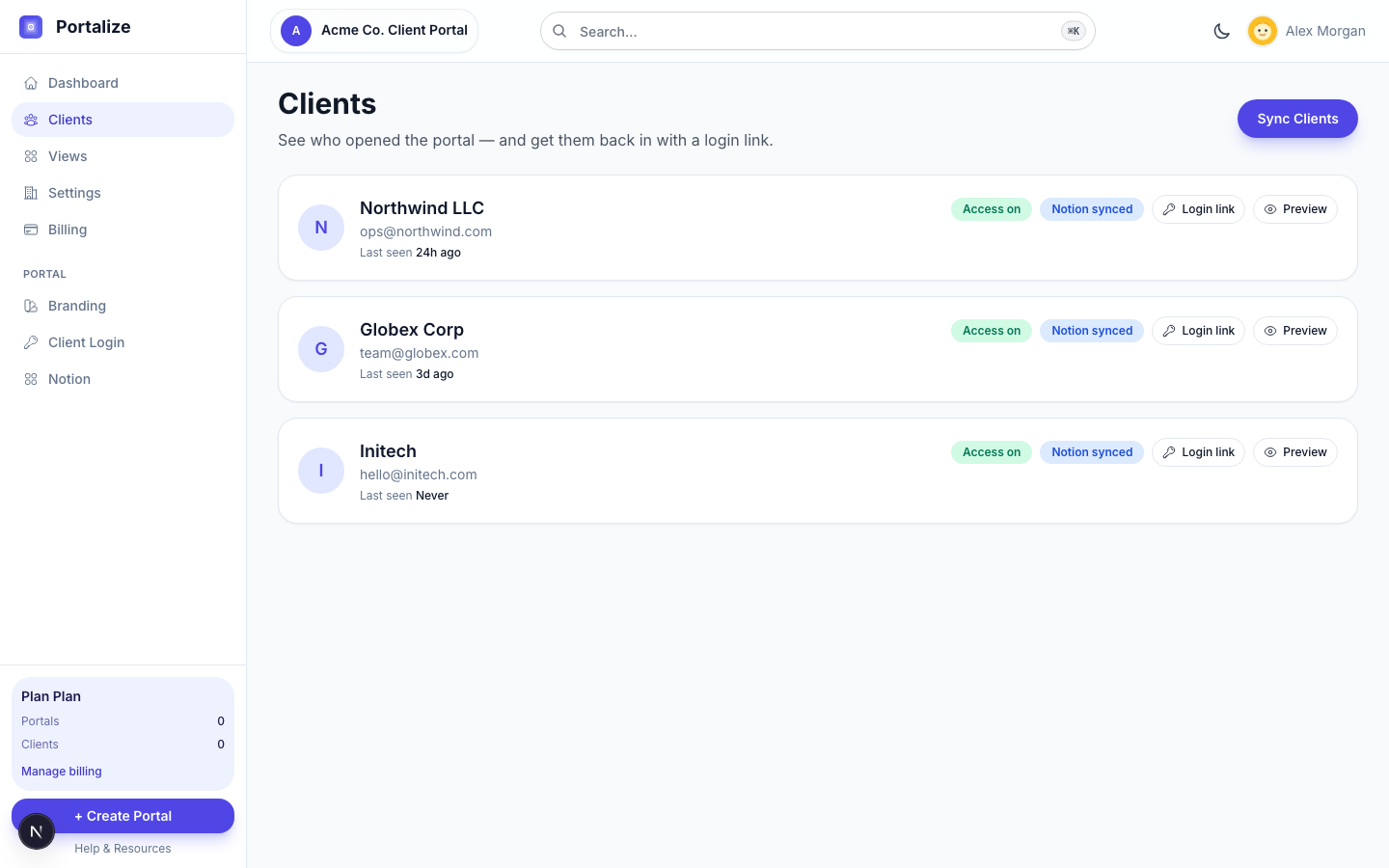
We also made login links easier to use in real client work. From Clients or Client Login settings you can generate or copy a login link without hunting through email — useful when you’re on a call and just need to get someone in. Active links can be copied from settings, and the same revoke controls still apply when a link shouldn’t be out in the world.
And when Notion has more clients than your plan allows, Sync no longer fills slots from an arbitrary Notion order. You choose exactly who to import; already-synced clients still refresh every time.
A faster portal clients actually enjoy using
On the client side, the portal feels more like a product and less like a stack of page loads. Soft navigation between dashboard, views, and item detail is near-instant. Global search helps clients find projects, tasks, and documents without bouncing around. Recent activity gives them a pulse on what’s changed — so opening the portal answers “what’s new for me?” in a few seconds.
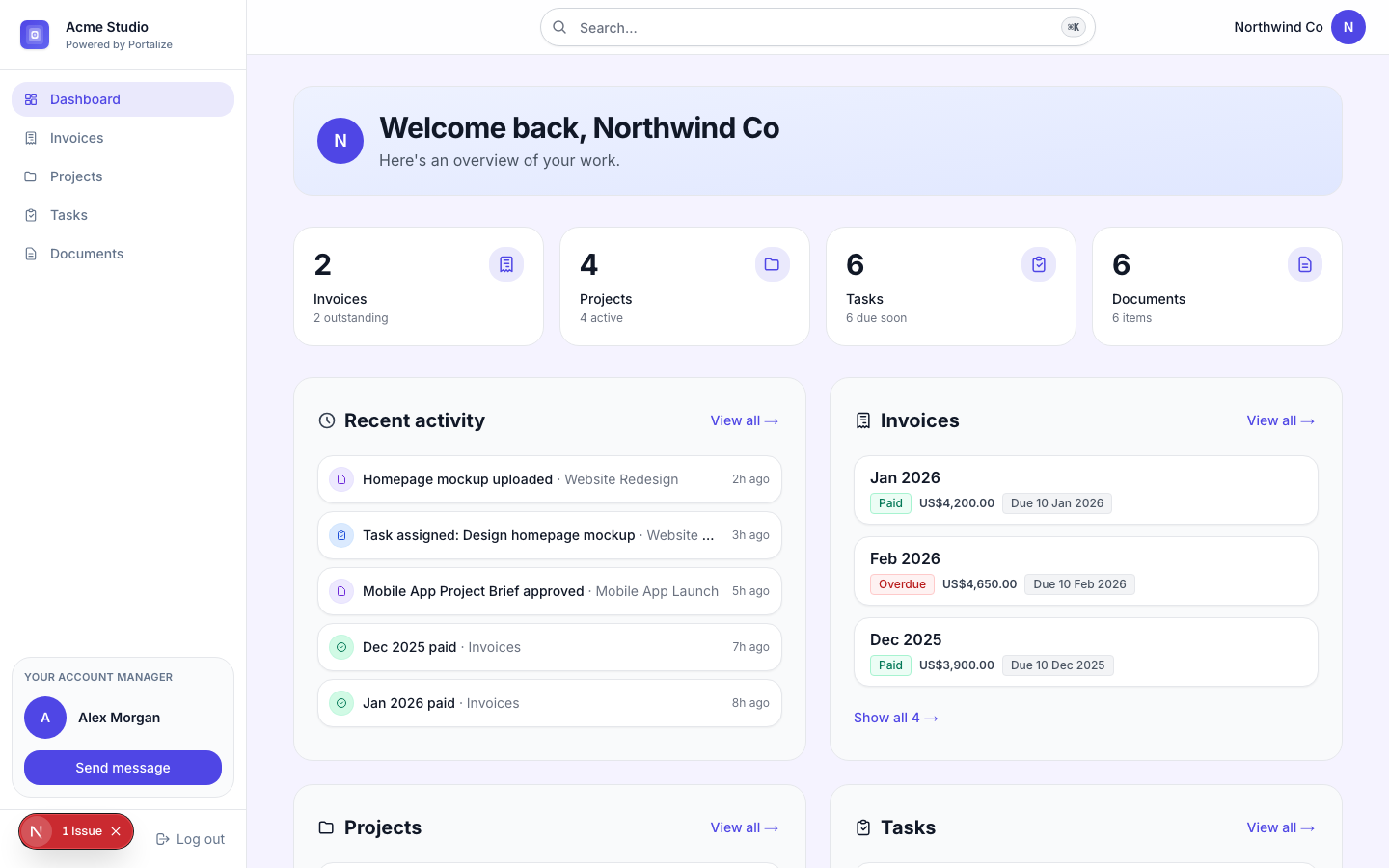
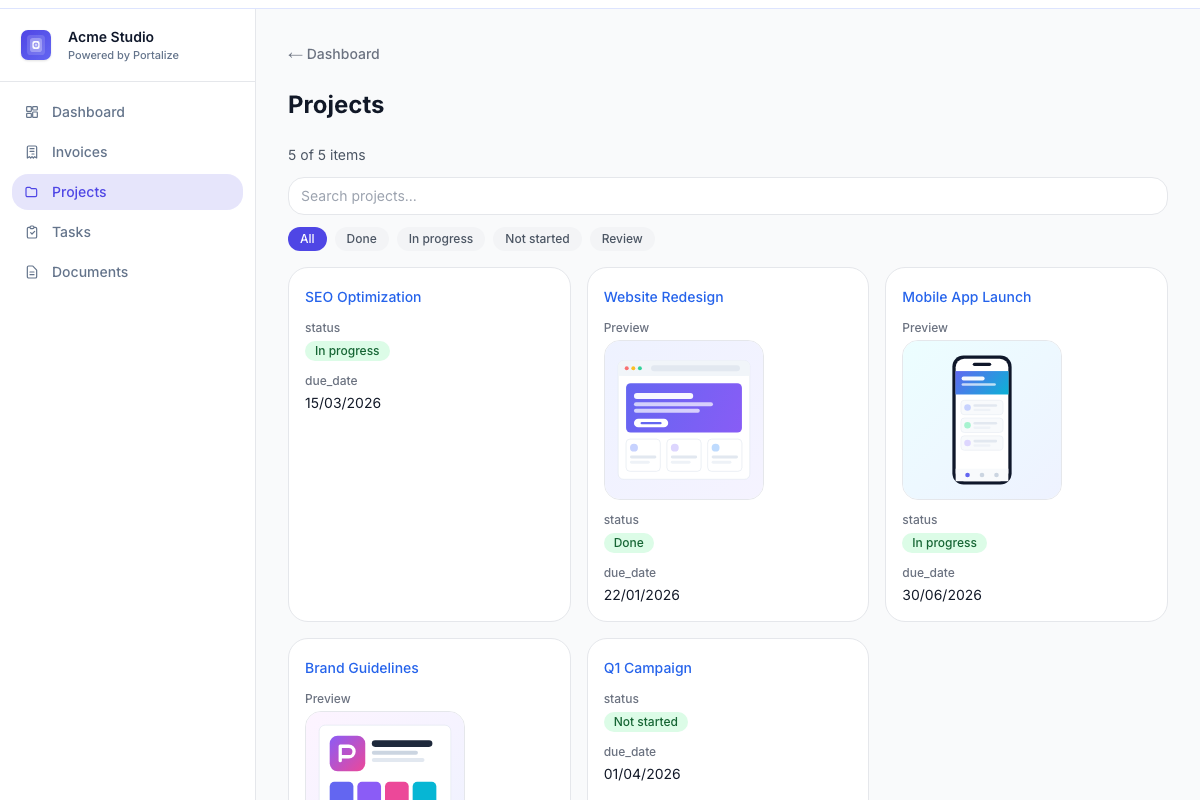
- Instant soft-nav across the portal and agency preview.
- Global search scoped to what that client can see.
- Recent activity so clients (and you, in preview) see movement at a glance.
- Under-the-hood performance work so Notion-backed pages paint faster.
Smaller upgrades that still matter
- Per-view email notifications when new scoped items appear for a client.
- Bookmarkable settings URLs — Branding, Client Login, Notion, and the rest each have their own path.
- Richer branding controls, including primary color swatches and visual themes.
- Client detail slide-over on the Clients page for engagement and login actions in one place.
- Portal delete and clearer account profile controls when you need to tidy house.
Ready to design a portal your clients actually open? Start free forever — connect Notion, publish a few pages, and preview as a client.
Start freeWhat’s next
We’ll keep sharpening the agency side around the same north star: less database admin, more client experience. If something would make your portal feel more like a product and less like a report, tell us — reply from any Portalize email or use the contact form. We read everything.
For a dated list of every change, the changelog is always up to date. This post is the narrative version — the why behind the last few weeks of shipping.